
Viewing Documents
Our web viewer makes it easy to preview project documents right in your browser.
Viewer interface
When you click on a document the preview window will open. Let's look at the ways you can use this preview and interact with documents.
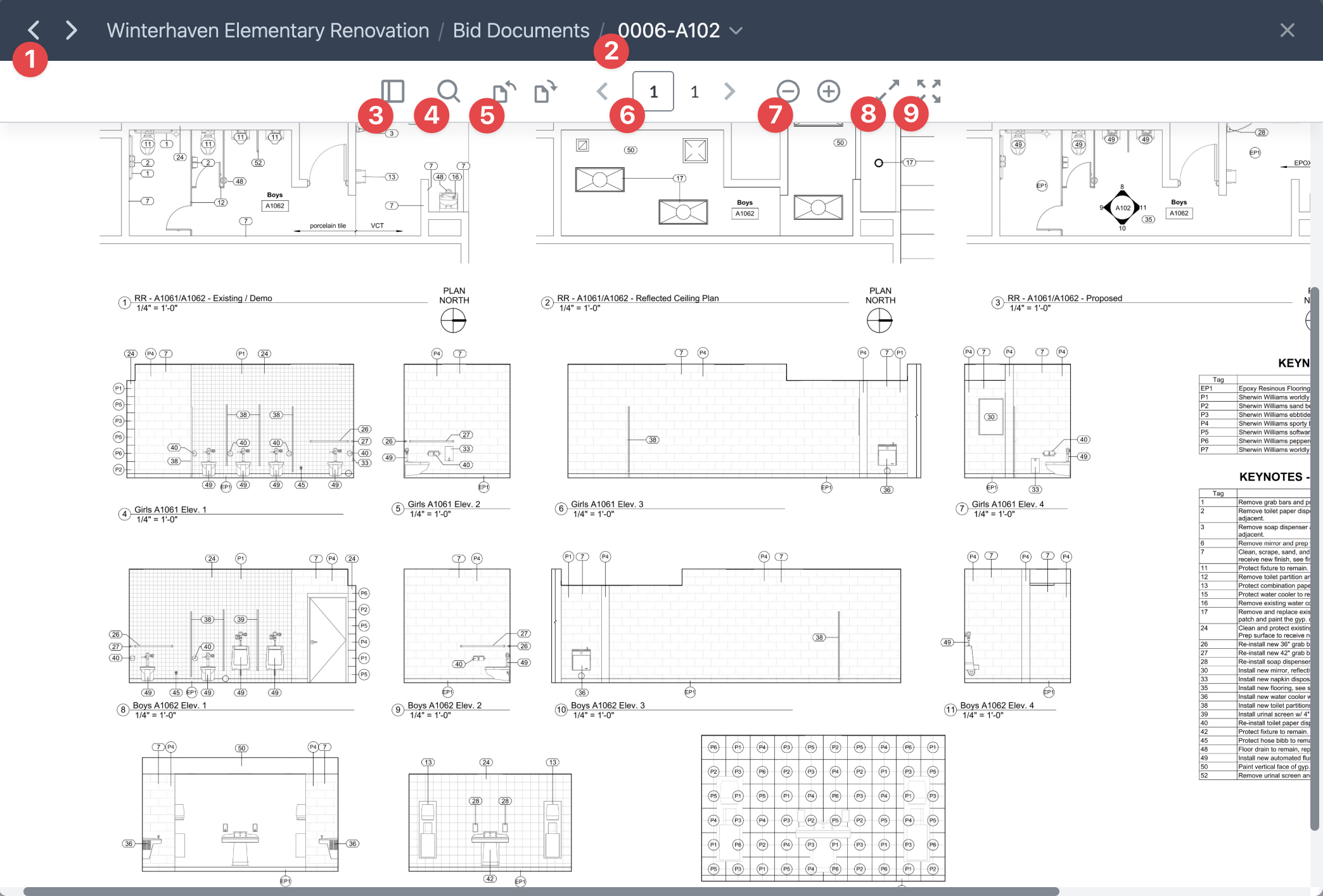
- Navigate to the previous or next document in the current folder.
- View a list of all documents in the current folder and jump to a different document.
- Open the sidebar to show a list of thumbnails for the current document. This is useful for multi-page PDF documents.
- Search the document for specific terms or phrases.
- Rotate the current page.
- Move to a different page in the current document. You can also scroll down.
- Zoom in or out.
- Resize the current page to fit the viewer dimensions.
- Go full screen.
The web viewer is a quick preview and may not render every detail exactly. Fine line weights, shading, and annotations can sometimes appear differently than in the original file. It is designed to help you evaluate the project before obtaining the actual files.
Further reference
- Downloading How to download documents or entire projects to your computer.
Copyright © 2026 · Powered by ReproConnect